 |
|
 |

| browse by artist: 0-9 a b c d e f g h i j k l m n o p q r s t u v w x y z or genre or top artists |
|
 |
blue chip | rare CDs | rare vinyl | rare LPs | rare 7" | rare 12" | rare CD singles | books & tour progs | posters | |
|
imports | audiophile | soundtracks | jazz | classical | awards | picture discs | autographs | memorabilia | |
|
sell to us | buying days | visit us | trade sales | collectors stores | new collections | facebook group | jobs | |
|



 |
| RSS |
|
Be notified as soon as New Stock Items arrive by YOUR FAVOURITE ARTISTS with our RSS service! |
|||||||||||||
|
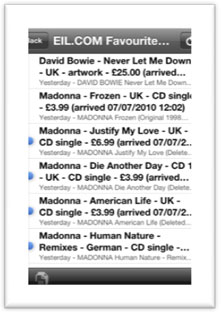
RSS is a web service that allows you to receive up-to-date information that is published by any participating website. At EIL.COM, with RSS you can now select to receive notification of new items arriving direct to your web-based, desktop-based or mobile device based RSS newsreader, without having to check our web site, and within minutes of those items being added (so you can buy them first!). And it’s very easy to set up (see links below) What is RSS? How do I set up RSS? Where can I get an RSS reader? |
|||||||||||||
| Your RSS Details | |||||||||||||
|
You are not currently logged in and your email address has not been detected. To use the RSS facility you will need to be logged in to your EIL.com account and have selected your favourite artists. |
|||||||||||||
|
What is RSS?
RSS (most commonly expanded as Really Simple Syndication) is a family of web feed formats used to publish frequently updated works - such as blog entries, news headlines, audio, and video - in a standardized format. At eil.com you can use it to keep track on new releases by your favourite artists. Your RSS reader will check your eil.com feed regularly for new releases and downloads any that it finds, and provides a user interface to monitor and read new releases. RSS readers can now be found in most browsers (such as Internet Explorer and Firefox) and e-mail clients (like Outlook) as well as on mobile devices (like the iPhone and Android phones). We recommend some below. |
|||||||||||||
| How do I set up RSS? | |||||||||||||
| Options | |||||||||||||
| a) | For Using on Your Desktop or Laptop Computer Just copy the above link into your currents RSS newsreader built into Outlook, Firefox and Internet Explorer. In most cases just clicking on the link should work. | ||||||||||||
| b) |
|
||||||||||||
|
|||||||||||||
| c) |
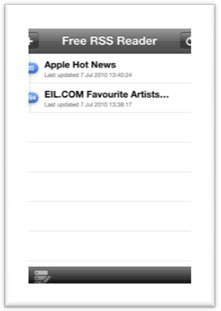
Download and install a Newsreader
|
||||||||||||
| That's it, you are now ready! Your Newsreader should now be checking our stock and will alert you to new items by your favourite artists as soon as they arrive. | |||||||||||||
|
Where can I get a News Reader?
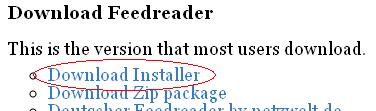
There are a wide range of different News Readers available which work on different operating systems. You will need to take this into account when you make your choice. For Windows Users: Feedreader Our recommendation if you do not already have a newsreader. Download the latest free version [.exe file] on this page here. Others: For Mac OS X Browser based For the iPhone You will need to download and install a program from one of these websites. If you are familiar with installing software on your computer the installation should be self-explanatory. If you have problems please contact the vendor directly.
[EIL.COM is not responsible for the content of external internet sites]
|
|||||||||||||
|
Feedback
If you require any assistance or have any questions, problems or comments about this service then please e-mail rss-feedback@eil.com |
|||||||||||||
| eil.com is an online record store/shop for buying & selling of new, rare & collectable vinyl records, 7", 12", LP, singles, albums, CDs & music memorabilia | ||||||||||||
| home | link to us | accessories | search | help | image gallery | collectors stores | music genres | | ||||||||||||
| sell your collection to us | record collectors guide & grading | recent collections | blue chip | ||||||||||||
| vinyl-wanted.com | 991.com | contact eil.com | subscribe/unsubscribe | ||||||||||||
|
||||||||||||


©1996-2024 eil.com | privacy policy, cookies policy, ordering information and terms and conditions